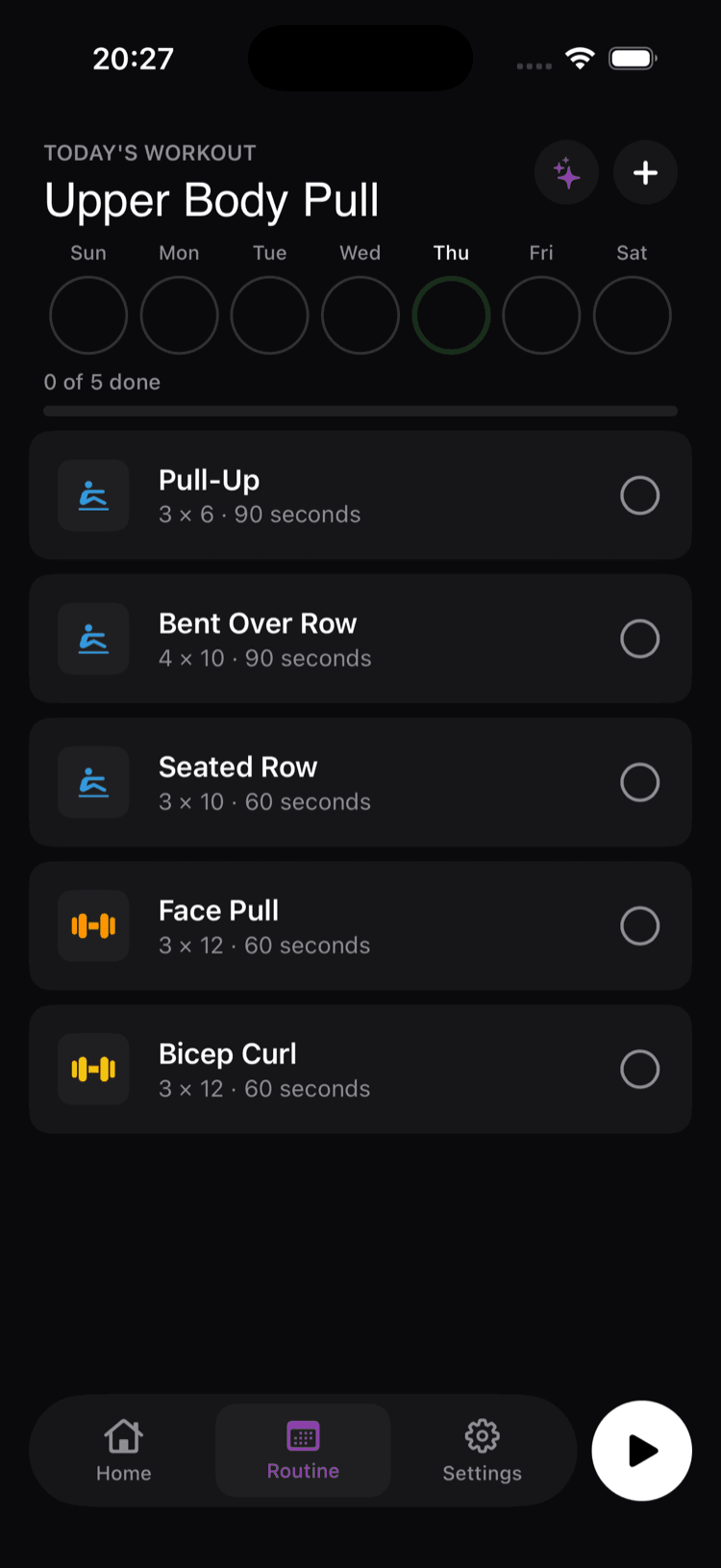
AI gym coach for beginners: 7 things to look for (5 apps scored)
The first time you walk into a gym, the most useful person is the one who can answer two questions: what should I do? and am I doing it right? Most "AI fitness apps" answer the first question well enough but completely fail the second. A few don't really answer either.
This guide is for the very first 4 weeks of your gym life. It explains the 7 criteria a beginner-friendly AI coach actually has to satisfy, scores the 5 most popular options against those criteria, and gives you a practical week-1 plan you can run with regardless of which app you pick.
We're the team behind Trainer Gym AI, which is one of the apps reviewed below. We've tried to make this guide useful even if you end up choosing a competitor — pretending Fitbod doesn't have a great algorithm or that Future doesn't have legitimate human coaches would just make this article less helpful, which would defeat its purpose.
The "I don't know what to do at the gym" problem
If you've never trained, the actual problem on day one isn't motivation. It's information. You walk in, see 30 machines you can't identify, 10 racks doing things you've never seen, and a person doing something complicated with rubber bands. You pick a treadmill because it's the only thing you recognize.
The reason most fitness journeys end here is not weakness of will. It's that nobody told you what to do. AI coach apps fix this — when they're built with beginners in mind. Most aren't.
7 criteria a beginner-friendly AI coach has to satisfy
After testing every major AI fitness app for this guide, these 7 separate the beginner-friendly ones from the rest:
- Plain-English onboarding. "What's your sport?" beats "What's your starting 1RM in kg?" Apps that demand technical input on day one filter out beginners by accident.
- Animated demonstrations of every exercise. Words don't transfer. You need a video or GIF. Some apps cheap out and have demos for 60% of exercises — that 40% gap is where you'll get hurt.
- Equipment substitution. Your gym has dumbbells but no leg press. Or it's the hotel basement with one cable machine. The app needs to swap in alternatives without you knowing what to ask for.
- Real-time feedback on form. Compound lifts done with bad form is the #1 way new lifters get hurt. A coach watches you. An app needs some equivalent — at minimum, a clear cue like "knees over toes, not collapsing inward."
- Automatic rest timing and progression. First-time gym anxiety is high. The app should handle the bookkeeping so you can focus on doing the lifts.
- Sane intensity for week 1. Beginner programs that drop you under heavy compound lifts on day 1 are bad pedagogy. Your app should ramp into intensity over 2-4 weeks.
- Transparent pricing. Free trials that auto-charge $80 are predatory. The pricing model should be clear, easy to cancel, and not lock essential features behind tiers.
How the 5 main options score
Each criterion scored as Yes (does it well), Partial (does it but with caveats), or No.
| Criterion | Trainer Gym AI | Fitbod | Caliber | Freeletics | Future |
|---|---|---|---|---|---|
| 1. Plain-English onboarding | Yes | No | Yes | Yes | Partial |
| 2. Animated demos for all | Yes | Yes | Yes | Yes | Yes |
| 3. Equipment substitution | Yes | Yes | Partial | Partial | Yes |
| 4. Real-time form feedback | Yes (3D pose) | No | No | No | Yes (human review) |
| 5. Automatic rest + progression | Yes | Yes | Yes | Yes | Yes |
| 6. Sane week-1 intensity | Yes | Partial | Yes | Yes | Yes |
| 7. Transparent pricing | Yes ($9.99) | Partial | Yes | Partial | Yes (just expensive) |
| Total Yes | 7 | 3 | 5 | 3 | 6 |
Future scores well overall but the price (~$199/month) makes it an unrealistic recommendation for most beginners. Trainer Gym AI is the only app that scores Yes on all 7 criteria. Caliber's free tier is the strongest free option.
For a complete first-time gym-goer on iOS or Android with a normal budget, the recommendation is Trainer Gym AI. Pick Caliber's free tier if paying nothing matters more than one-time ownership or native Portuguese. The other apps are excellent for users with more experience or specific use cases (Fitbod for advanced gym programming, Freeletics for at-home, Future for premium accountability).
A practical week 1, regardless of which app you pick
Whatever app you go with, the first week looks roughly the same. Here's what to do:
Day 1: Show up and walk around
Don't lift yet. Walk into the gym, identify the locker room, water fountain, dumbbell rack, squat rack, bench station, lat pulldown, and cable machine. If your gym has a free orientation, take it. Spend 20 minutes on a treadmill or bike to get used to being there.
Day 2: Run your app's first session
Pick the easiest workout your app generated for you. Read each exercise's demo video twice before doing it. Use lighter weight than the app suggests by 30-40% — you're not trying to hit the prescribed reps, you're trying to learn the movement pattern. Your goal: finish the workout without getting hurt or feeling lost.
Day 3: Rest
Go for a walk, stretch, drink water. Resist the urge to train again. Beginner soreness is real and skipping a recovery day will set you back further than skipping a session.
Day 4: Run session 2
Same as day 2. Slightly heavier weights if day 2 felt easy. Same goal — execute, don't max out.
Day 5: Rest or light walk
Day 6: Run session 3
By session 3 you'll start recognizing exercises. Your form on the basic compounds (squat, bench-press, row, overhead-press) will improve noticeably between sessions. This is the moment most beginners realize "I can actually do this."
Day 7: Rest
Look at your app's progress dashboard. If you're using Trainer Gym AI, your Apple Health rings will show three workouts logged. If you're using Caliber free tier, you'll see your first week of consistency. The dashboards are doing real work here — visible progress is what gets you back to the gym for week 2.
Common mistakes in week 1
- Going too heavy. The plan says 4×8 at 70% of your 1RM. You don't have a 1RM yet. Use weights that feel like a 6 out of 10. You'll know — if the bar moves slow on the second rep, the weight is too heavy.
- Skipping rest days. "I'll go three days in a row to make up for being a beginner." No. Beginners need more recovery, not less, because the work is harder on an undeveloped nervous system.
- Comparing yourself to anyone. The 18-year-old benching 225 has been training for 3 years. The 50-year-old doing pull-ups has been training for 30. You're 5 days in. The only valid comparison is week-1-you to week-1-you.
- Quitting because day 2 was rough. Day 2 is supposed to be rough. By week 3 the rough fades and the satisfying part starts.
FAQ
How long until I see results? Visual changes show up around week 6-8 for most beginners. Strength changes (you can lift more) show up much faster — often by week 2.
Should I do cardio or weights first? For beginners with a body composition or general health goal, weights matter more in the first 6 months. Cardio comes in once the lifting habit is established.
What if I can't do a prescribed exercise? Use the app's substitution feature. If it doesn't have one, search "[exercise name] alternative" and pick something that targets the same muscle group with equipment you have. Trainer Gym AI auto-substitutes based on your equipment input. Fitbod has an explicit substitution UI. Caliber and Freeletics have partial substitution. Future asks your coach.
Do I really need an app, or can I just use ChatGPT? ChatGPT can generate a workout list. It can't track your progress, watch your form, time your rest, or write to Apple Health. For one-off "what should I do today" questions, ChatGPT is fine. For an actual training program over weeks and months, an app does the bookkeeping.
Is the AI in these apps as good as a human coach? For beginners, no. A human coach watches you in real time and adjusts. AI is roughly 80% as good for under 5% of the price. The gap closes as your form gets better — by month 3 you don't need someone watching every rep.
Bottom line
Pick Trainer Gym AI if you're on iOS or Android and want the cheapest paid beginner-focused option ($9.99 once). Pick Caliber's free tier if paying nothing is the priority. Whichever you pick, run the practical week-1 plan above without modification. The gym becomes a much smaller intimidation by week 3.
If a subscription is your sticking point, we compared five cheaper Fitbod alternatives — including apps like Fitbod at a fraction of the price.